
Cubes
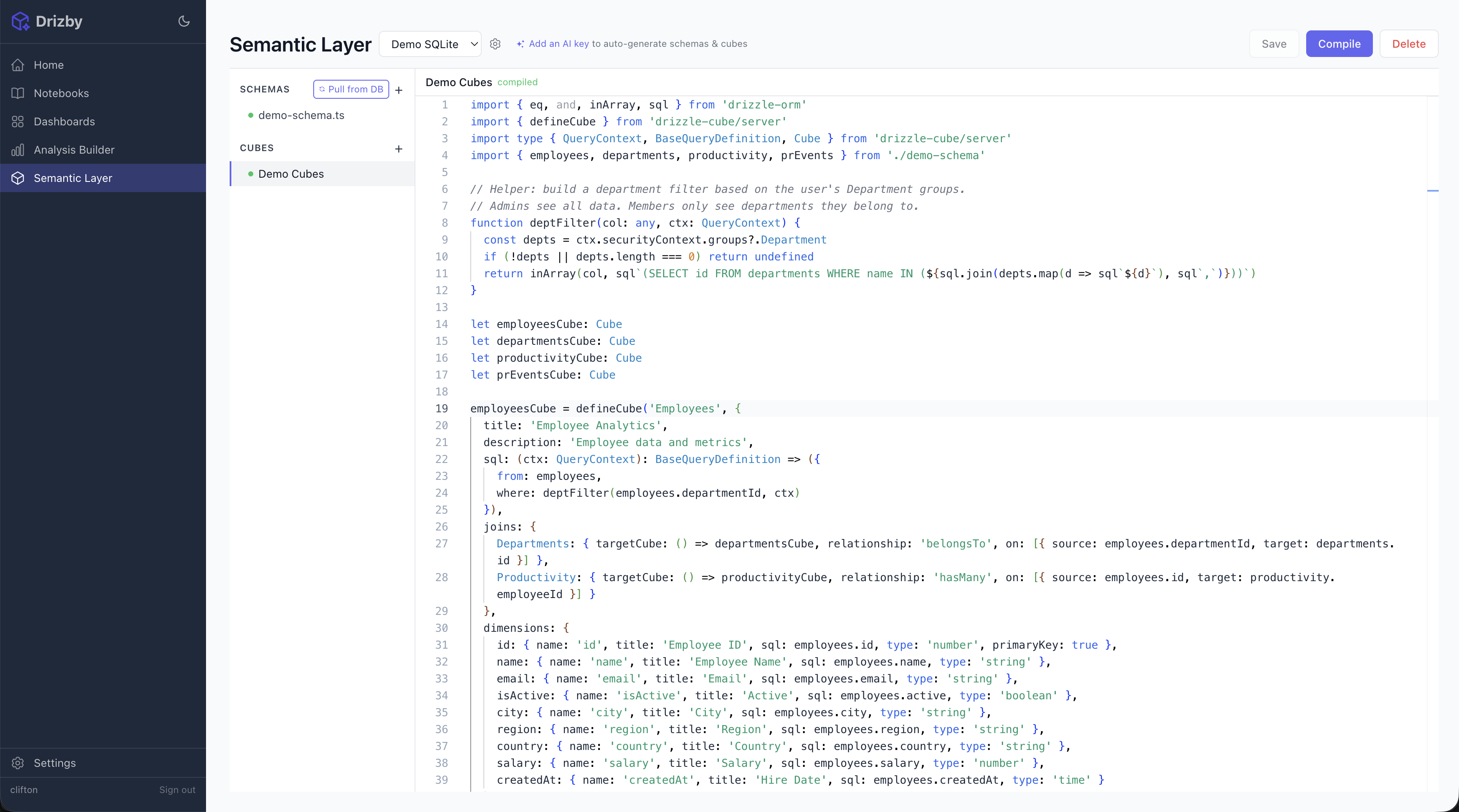
Cubes are the core of the semantic layer. They define dimensions (the things you group by), measures (the things you calculate), and joins (how tables relate).
See the drizzle-cube documentation for the full cube definition API.
Cube Structure
Section titled “Cube Structure”import { defineCube } from 'drizzle-cube/server'import type { QueryContext, BaseQueryDefinition, Cube } from 'drizzle-cube/server'import { orders } from './schema'
let ordersCube: Cube
ordersCube = defineCube('Orders', { title: 'Order Analytics', description: 'Order volume, revenue, and status tracking',
sql: (ctx: QueryContext): BaseQueryDefinition => ({ from: orders, }),
dimensions: { id: { name: 'id', title: 'Order ID', type: 'number', sql: orders.id, primaryKey: true }, status: { name: 'status', title: 'Status', type: 'string', sql: orders.status }, createdAt: { name: 'createdAt', title: 'Created', type: 'time', sql: orders.createdAt }, },
measures: { count: { name: 'count', title: 'Total Orders', type: 'count', sql: orders.id }, totalRevenue: { name: 'totalRevenue', title: 'Revenue', type: 'sum', sql: orders.total }, avgOrderValue: { name: 'avgOrderValue', title: 'Avg Order', type: 'avg', sql: orders.total }, },}) as Cube
export { ordersCube }Security Context Filtering
Section titled “Security Context Filtering”The sql function receives a QueryContext with the authenticated user’s security context, including their group memberships. Use this to filter data:
sql: (ctx: QueryContext): BaseQueryDefinition => {  const regions = ctx.securityContext.groups?.Region
  if (ctx.securityContext.role === 'admin') {    return { from: orders }  }
  if (!regions || regions.length === 0) {    return { from: orders, where: sql`1 = 0` }  }
  return {    from: orders,    where: inArray(orders.region, regions)  }}
See Groups documentation for detailed patterns and examples.
Cubes can declare relationships to other cubes:
Direct Joins (belongsTo / hasMany / hasOne)
Section titled “Direct Joins (belongsTo / hasMany / hasOne)”joins: { Users: { targetCube: 'Users', relationship: 'belongsTo', on: [{ source: orders.userId, target: users.id }] }}Many-to-Many Joins (belongsToMany)
Section titled “Many-to-Many Joins (belongsToMany)”For relationships through a junction table, use belongsToMany with through:
joins: { Departments: { targetCube: 'Departments', relationship: 'belongsToMany', on: [], through: { table: teamMembers, sourceKey: [{ source: teams.id, target: teamMembers.teamId }], targetKey: [{ source: teamMembers.departmentId, target: departments.id }] } }}Both sides of a many-to-many relationship need the join defined (with sourceKey/targetKey swapped).