GitHub Integration
Version-control your entire semantic layer. Push schemas, cubes, and dashboards to GitHub, tag releases, and restore from any version.
- Push schemas, cubes, and dashboard configs to any GitHub repo
- Semver tagging with one-click major, minor, and patch releases
- Restore from any tag to roll back changes instantly
- Only changed files are uploaded — fast, incremental syncs
Your Semantic Layer, Version-Controlled
Drizby stores your schemas, cube definitions, and dashboard configurations in its internal database. With GitHub integration, every change you make can be pushed to a Git repository — giving you a full audit trail, branch-based workflows, and the ability to roll back to any previous state.
How It Works
Connect a GitHub App
Create a GitHub App with repository write permissions, then paste the credentials into Drizby's settings. Install the app on your organisation or personal account.
Select a Repo & Branch
Choose an existing repository or create a new one. Pick the branch your instance syncs to — use main for production, development for staging.
Push & Tag
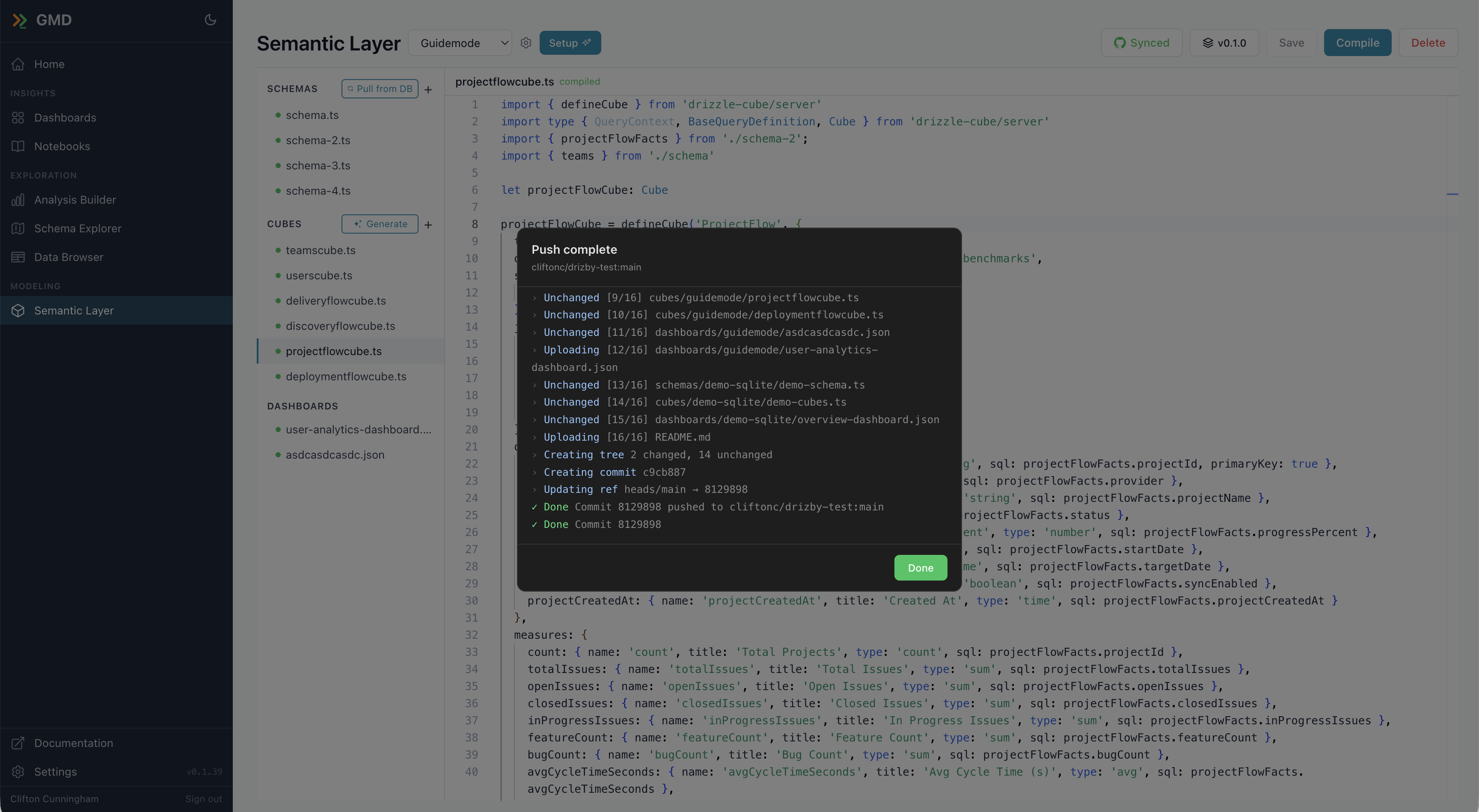
Hit Push in the semantic editor to sync your files. Only changed files are uploaded. Tag releases with semver — major, minor, or patch — with one click.
Incremental Sync
Drizby computes git blob SHAs locally and compares them with the remote tree. Only files with actual content changes are uploaded — making syncs fast even with hundreds of files.
Clean Renames & Deletes
Renamed or deleted files are handled automatically. Each sync builds a complete tree replacement for managed directories, so the repository always reflects the current state of your semantic layer.
Semver Tagging
Create annotated git tags with one click. Choose between major, minor, and patch bumps. The latest tag is shown in the editor toolbar so you always know which version you're working from.
Restore from Any Version
Browse previous tags and restore any version with a single click. Drizby pulls the files from GitHub and updates your schemas, cubes, and dashboards — a full point-in-time restore.
Multi-Instance Workflows
Different Drizby instances will sync to different branches of the same repository. Use one branch for development and another for production — with pull requests to promote changes through your normal Git workflow before reaching production dashboards.