Users & Groups
Built for an agentic world — no per-seat pricing. Invite your whole team without worrying about costs.
- Unlimited users with role-based access controls
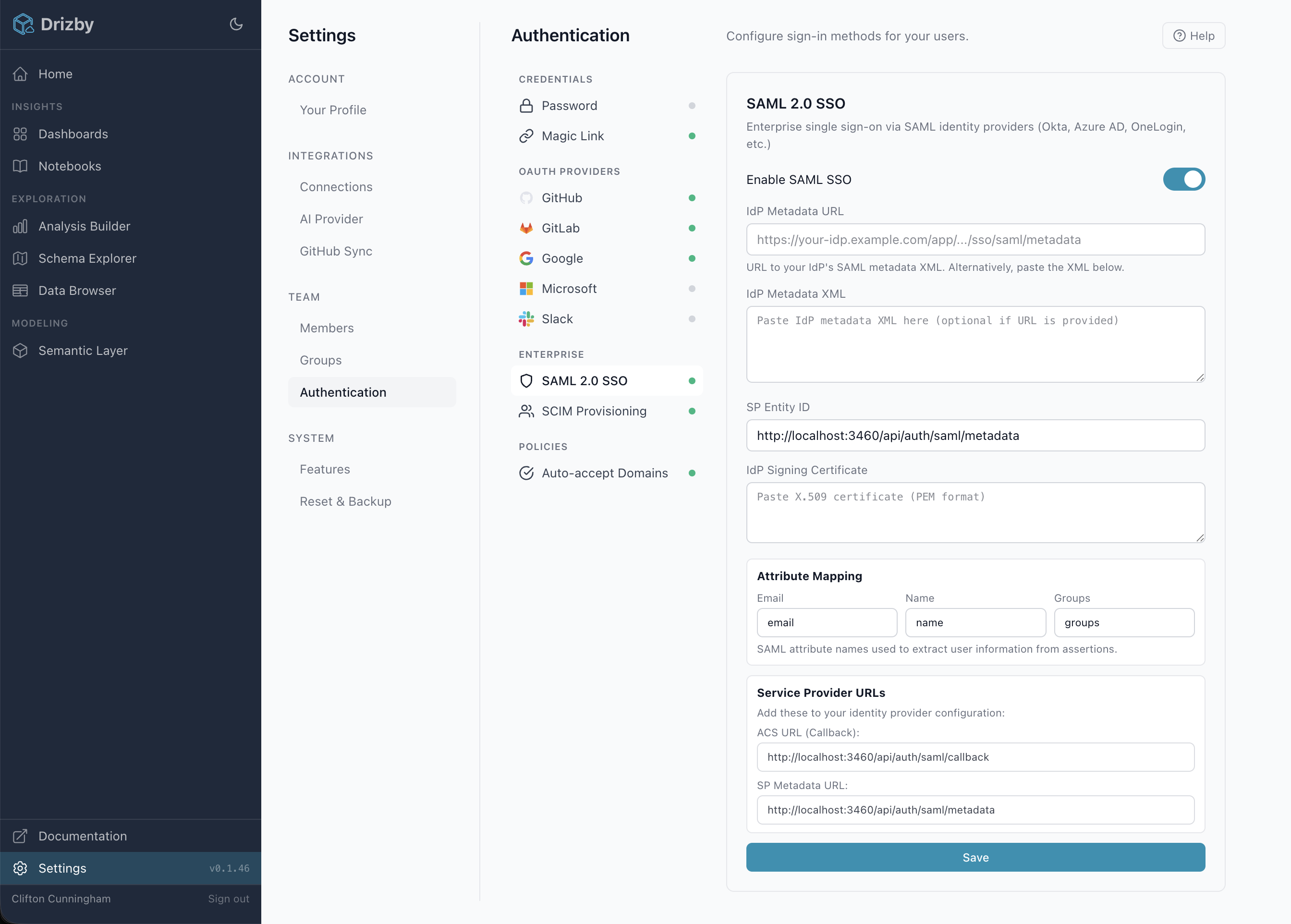
- 9 authentication methods including SAML 2.0 SSO and SCIM 2.0 provisioning
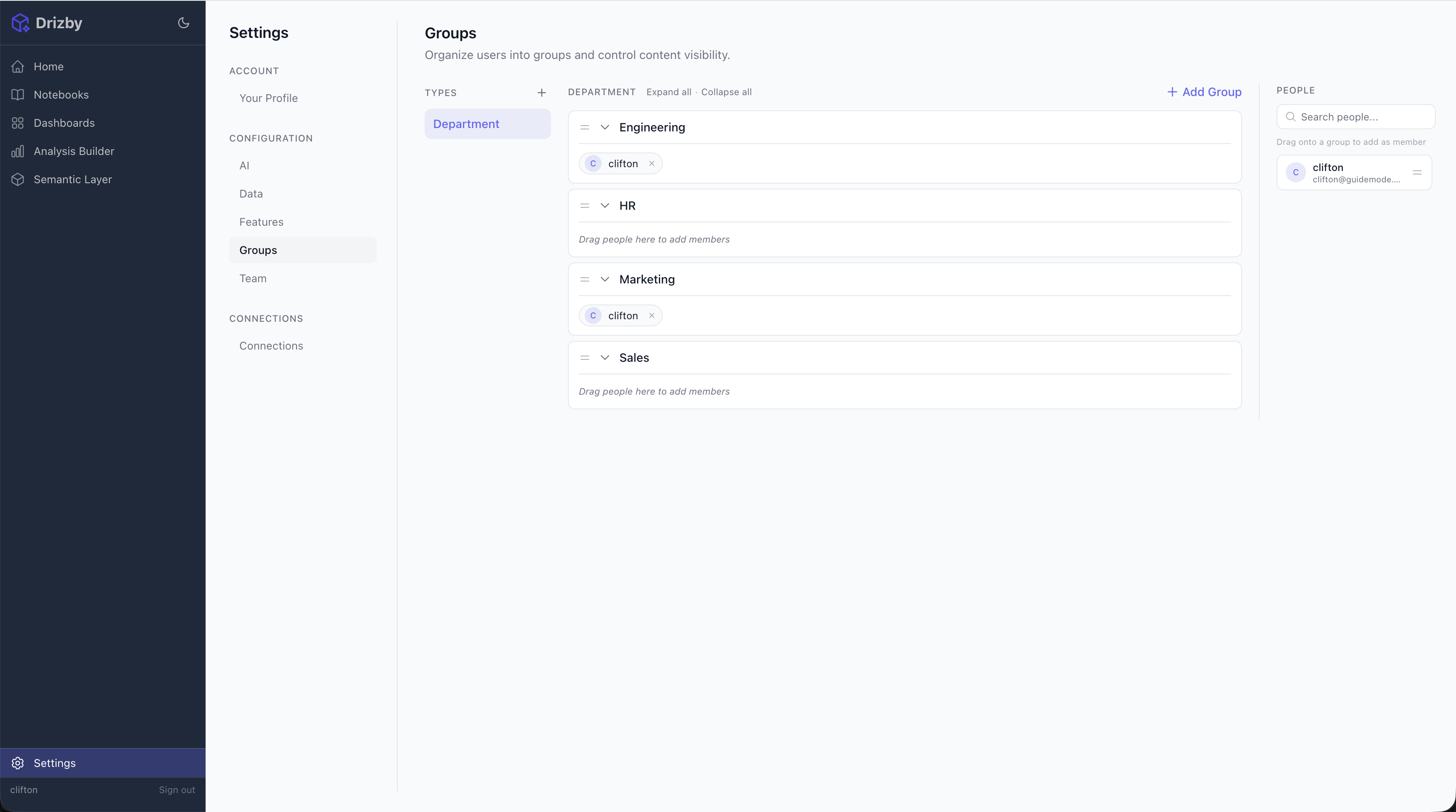
- Group-based dashboard and data visibility
Authentication
Multiple sign-in methods out of the box. Enable one or combine them to suit your team.

Password
Email & password with admin approval for new registrations.

Magic Link
Passwordless sign-in via one-time email link.

Google Workspace and personal accounts via OAuth.

GitHub
Sign in with GitHub accounts. Great for developer teams.

GitLab
GitLab OAuth with PKCE for self-managed and SaaS instances.

Microsoft
Azure AD / Entra ID with PKCE. Supports single and multi-tenant.

Slack
Slack OpenID Connect for teams already on Slack.
Enterprise SSO & Provisioning
Connect your identity provider for single sign-on and automatic user lifecycle management. Configure everything from the admin UI — no code changes or restarts needed.
Users authenticate through your organisation's IdP instead of managing separate credentials. Supports Okta, Azure AD / Entra ID, OneLogin, and any SAML 2.0 compliant provider. Group attributes are automatically synced on each login.
Your IdP automatically creates, updates, and deactivates users and groups in Drizby. No manual invites needed. Deprovisioned users are blocked instantly. Bearer token authentication with SHA-256 hashed storage.
No Per-User Limits
In a world where AI agents query data alongside humans, per-seat pricing doesn't make sense. Drizby treats every user the same — whether they're a person on your team or an AI assistant connecting via MCP. Self-hosted instances have zero user limits by design. Drizby Cloud charges based on running instance minutes, not the number of users or connected agents.
Role-Based Access Control
Admin Role
Full access to all settings, connections, users, and content. Manage database connections, configure AI providers, and control the MCP server.
Member Role
Access dashboards, notebooks, and the analysis builder. Create and share content with the team. No access to system settings or connections.
Group-Based Visibility
Organise users into groups and control who sees what. Dashboards and notebooks can be scoped to specific groups, so teams only see the content that's relevant to them. No complex permission matrices — just simple, intuitive group assignments.
Built for Teams
Admin Approval
New user registrations require admin approval, so you control who joins your instance. Pending users can't access any data until approved.
Auto-Accept Domains
Configure trusted email domains so users from your organisation are automatically approved as members when they sign in via OAuth or magic link.
Tenant Isolation
Each Drizby Cloud instance is fully isolated per tenant. For multi-tenant analytics within an instance, you can model organisation scoping directly into your cubes using the semantic layer's security context.
Session Security
Secure session-based authentication with HTTP-only cookies. Sessions auto-expire to limit exposure. Optional encryption at rest for stored secrets.
Simple Pricing
Self-Hosted
Free
MIT licensed, unlimited users, unlimited dashboards, unlimited notebooks. Run it on your own infrastructure with Docker.
Drizby Cloud
Instance minutes
Pay for running time, not users. Your whole team gets access — no per-seat fees, no user tiers, no surprises.